
Every business is different. Every business needs its own forms. Sometimes they’re fairly standard, like a compliance declaration or an employee survey. Sometimes no other business in the world needs quite what you do. Building these has always taken more time than it should.
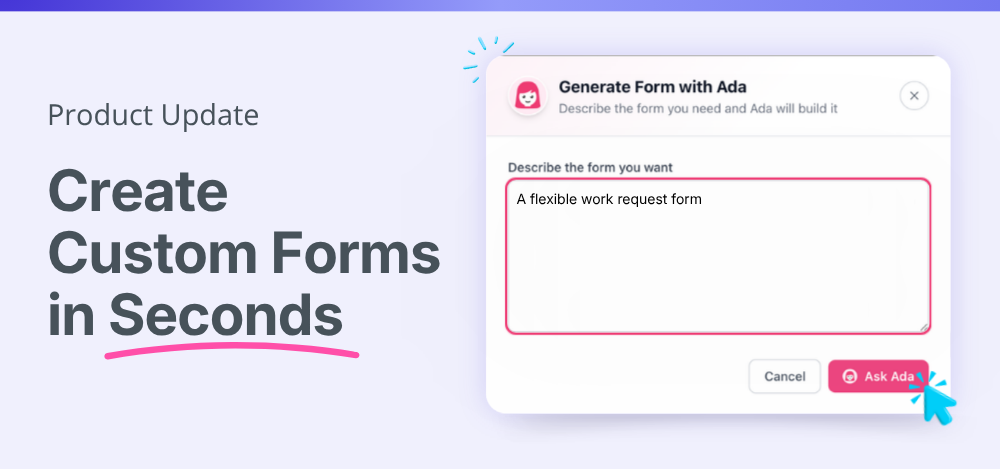
Not anymore. We’ve rebuilt the form builder inside HR Partner from the ground up to be simpler, faster, and more flexible. And with help from Ada, your AI assistant, you can go from idea to live form in seconds.
Create custom HR forms with Ada, your AI assistant
The new form builder gives you complete flexibility over how you create forms.
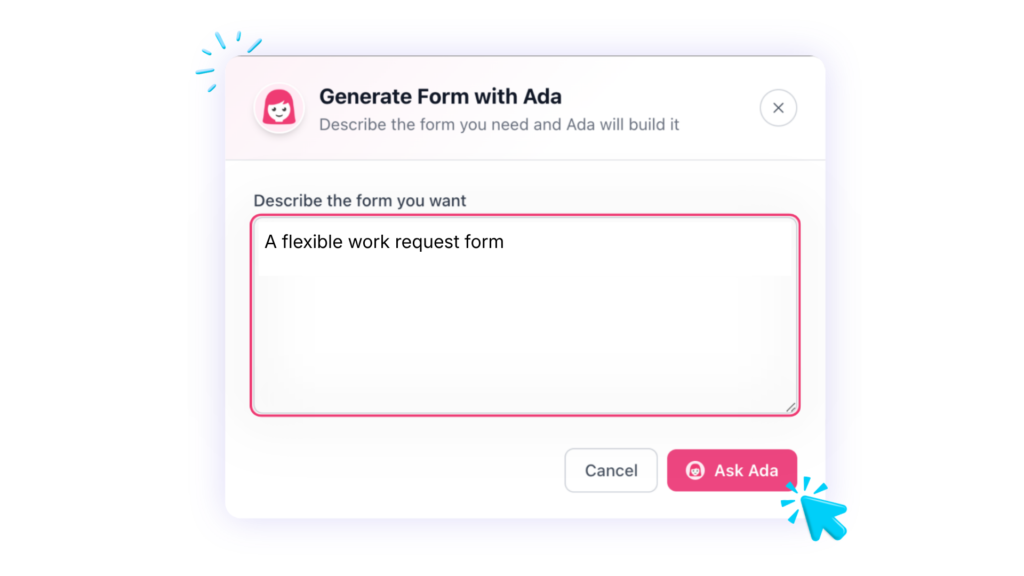
Need a starting point? Tell Ada what you need, and she’ll create a draft form for you. Ask for a workplace health and safety assessment, an employee satisfaction survey, a compliance declaration, or an incident report. Ada will generate a structured form with suggested fields and sections, ready for you to review and customize.
Every business works differently, so nothing is locked in. Edit anything Ada creates, add or remove fields, adjust the layout, and make the form your own.
Prefer to build it yourself? You can do that too. The new form builder makes it simple to create forms from scratch, with an easy-to-use drag-and-drop interface that lets you add fields, organize sections, and capture exactly the information you need.
Build a template you’ll use time and time again, or a one-off form for something specific. Either way, it’s ready in seconds.
Build HR forms for any process or compliance need
Custom forms are designed for the processes that make your business unique. Create forms for:
- Health and safety assessments
- Incident and near-miss reports
- Compliance declarations
- Employee satisfaction surveys
- Pulse checks on a new policy or change
- Event RSVPs, like your Christmas party
- Workplace investigations
- Employee requests for assets
- Change of bank account or other details
- Grievance processes
- Code of conduct confirmations
- Disciplinary processes
- Industry-specific requirements and workflows
If your business has a process that needs information collected, approvals captured, or records maintained, you can create a form for it.
Add a signature field to any form
One of the most requested features is here, you can now add a signature field to any form.
This makes it simple for employees to confirm they’ve read a policy, completed a process step, or signed off on an assessment, all within the same form, with no extra paperwork or separate steps.
A quick note on legalities, signatures added within a form are not legally binding. For anything that needs to be legally binding, such as employment contracts, use HR Partner’s eSignature module instead.
Send forms exactly where they need to go
Forms can be assigned to individuals, groups, teams, or the whole business – so the right people always get the right form.
Attach a form to a checklist, for example as part of onboarding, or send it directly by email whenever you need a response. You can also have forms just ready for employees to use in the Employee Portal whenever they need them.
Every response is automatically saved against the employee record, so nothing gets lost in an inbox or a spreadsheet somewhere else.
Analyze responses in one click
Download all form responses into a spreadsheet whenever you need to dig deeper. It’s handy for analyzing survey results, spotting trends, or reporting on compliance data.
Less time building forms, more time managing people
Custom forms shouldn’t mean hours of setup or another system to manage. With the new form builder, you can:
- Create forms faster with AI-assisted building
- Build a reusable template or a one-off form, whatever the job needs
- Easily customize forms to match your processes
- Assign forms to individuals, groups, teams, or the whole business
- Keep responses connected to your HR records automatically
- Download responses into a spreadsheet for easy analysis
- Replace spreadsheets and manual paperwork with structured workflows
This is just one of the improvements we’ve made as part of the new HR Partner experience, all shaped by the feedback, ideas, and requests from our customers.
Try the new form builder today
The new custom form builder is available now in HR Partner. Log in and create your next form, or ask Ada to help you get started.
New to HR Partner? Start a free 14-day trial or book a demo to see the form builder, and everything else HR Partner can do, in action.
Frequently asked questions
What is the HR Partner form builder? The HR Partner form builder is a tool inside the HR Partner platform that lets businesses create custom HR forms, such as compliance declarations, safety assessments, and employee surveys, without needing a separate module or third-party software.
Can I use AI to create HR forms? Yes. Ada, HR Partner’s AI assistant, can generate a draft form based on a plain-language description. You can then edit the fields, layout, and sections to match your exact needs.
Do I have to use AI to build a form? No. You can build forms manually from scratch using the form builder’s drag-and-drop interface, or start with an AI-generated draft and customize it yourself.
What types of forms can I build with HR Partner? You can build health and safety assessments, incident and near-miss reports, compliance declarations, employee satisfaction surveys, policy acknowledgments, workplace investigation forms, grievance forms, code of conduct confirmations, disciplinary process forms, and any other form specific to your industry or process.
Does the form builder connect to employee records? Yes. Form responses stay connected to your HR records inside HR Partner, so you don’t need to manage a separate system or spreadsheet.
Can I add a signature field to a form? Yes. You can add a signature field to any form so employees can confirm they’ve read a policy or signed off on a process step. Signatures added within a form are not legally binding. For legally binding agreements, such as employment contracts, use HR Partner’s eSignature module.
Who can forms be assigned to? Forms can be assigned to individuals, groups, teams, or the entire business. You can also attach a form to a checklist, such as an onboarding checklist, or send it directly by email.
Can I export form responses? Yes. You can download all responses for a form into a spreadsheet, which makes it easy to analyze survey results or report on compliance data.