
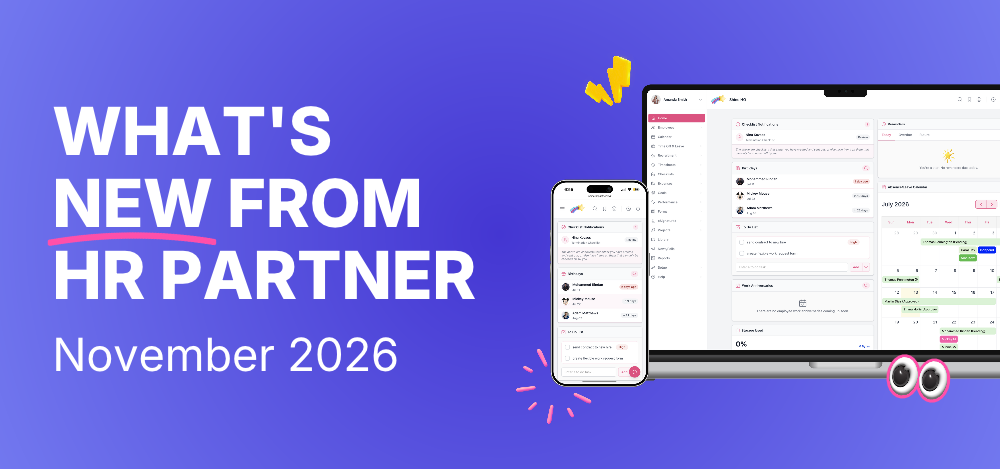
The November 2026 HR Partner product update brings more flexibility to your Admin Dashboard, employee work schedules and annual leave entitlements, along with a handy feature to help you navigate your HR platform more efficiently.
Subscribers can login now to see all the updates. Not a subscriber yet? Start a free 14-day trial and see how HR Partner can help you.
Here’s what’s new in HR Partner this month.
More Flexibility and Customization in Your Admin Dashboard
Your Company at a Glance
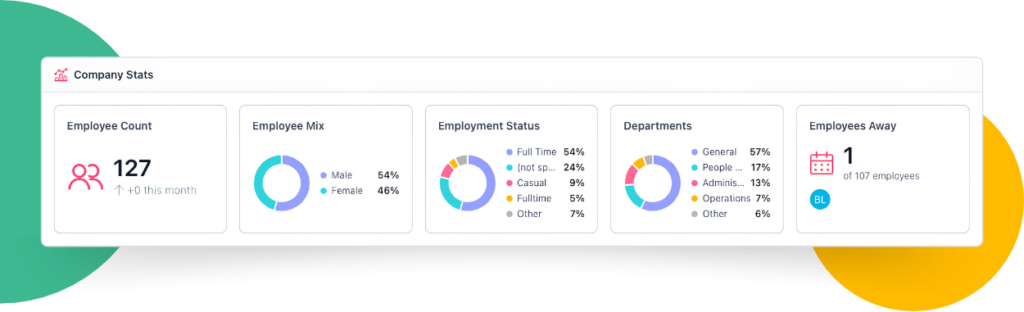
We’ve introduced a new Company Stats widget, giving you more control over the employee information you see on your Admin Dashboard.
You can choose which statistics to display and select the order they appear in. There are five statistics to choose from:
- Employee Count: View your total employee numbers and changes over time.
- Employee Mix: See a breakdown of your workforce.
- Employment Status: View employees by employment type.
- Departments: See how employees are distributed across different departments.
- Employees Away: Check who’s currently away from work.
You can display between three and five statistics and position Company Stats at the top, left or right of your dashboard.
For the best overview, we recommend placing Company Stats at the top of your dashboard, where it will display at full width.
A note about the existing statistics widgets
The existing Employee Count, Employee Mix, Employment Status, Departments and Employees Away widgets will be replaced by the new versions within Company Stats.
If you’ve previously customised any of these widgets, you may want to review the new versions after the update and make any personalisation changes you’d like. Your other dashboard widgets won’t be affected.
Learn how to personalize your Company Stats
Two-Week Working Day Patterns for Employees
More flexibility when setting up employee schedules
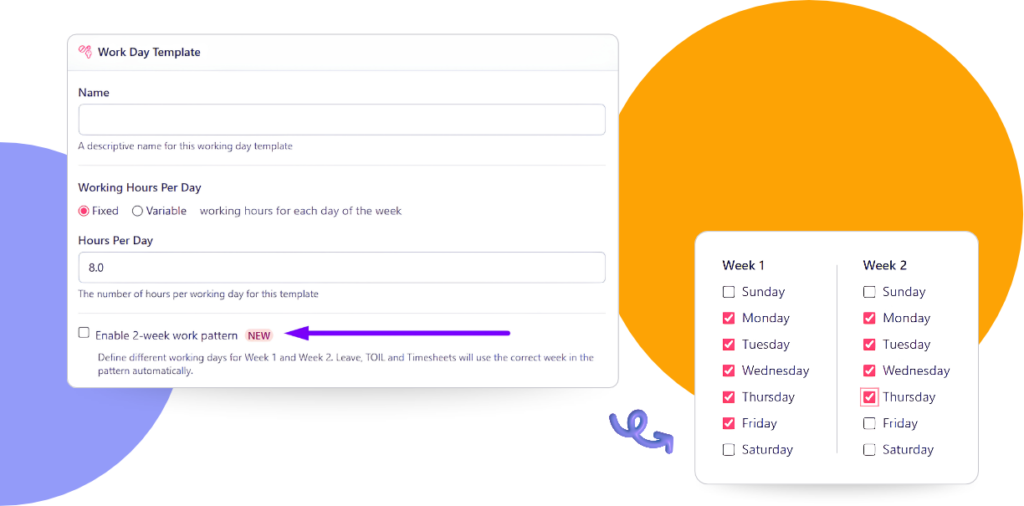
You can now configure repeating two-week working patterns in HR Partner, making it easier to manage employees who work different days or hours across alternating weeks.
Administrators can configure separate working days and hours for Week 1 and Week 2, with the schedule automatically repeating. This is particularly useful for employees with two-week work schedules, rotating shifts or alternating part-time arrangements.
This gives you more flexibility when managing employee working hours and reduces the need to manually update schedules each week.
Learn more about Two-Week Working Day Patterns
Stepped Annual Leave Allowances
Automatically increase leave entitlements based on length of service
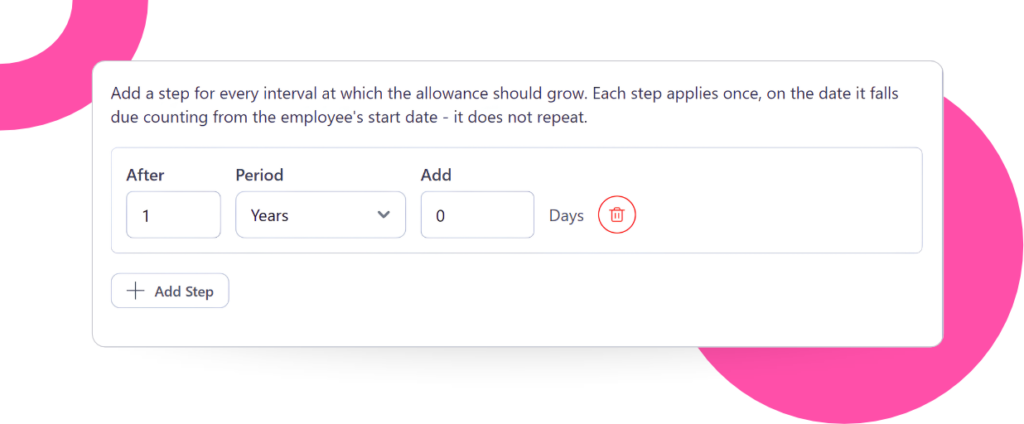
You can now configure annual leave allowance increases based on an employee’s length of service through your existing Leave Policies.
Set multiple service milestones with corresponding increases to annual leave entitlements. For example, you might offer employees additional annual leave after two years of service, followed by another increase when they reach five years.
Once configured, these increases are applied automatically according to your Leave Policy rules, reducing the need to manually adjust individual employee entitlements.
This makes it easier to manage annual leave policies that recognise long service and provide increasing leave benefits over time.
Learn more about Stepped Leave Allowance Increments
Feature Focus: Bookmarks
Your favourite pages, just a click away
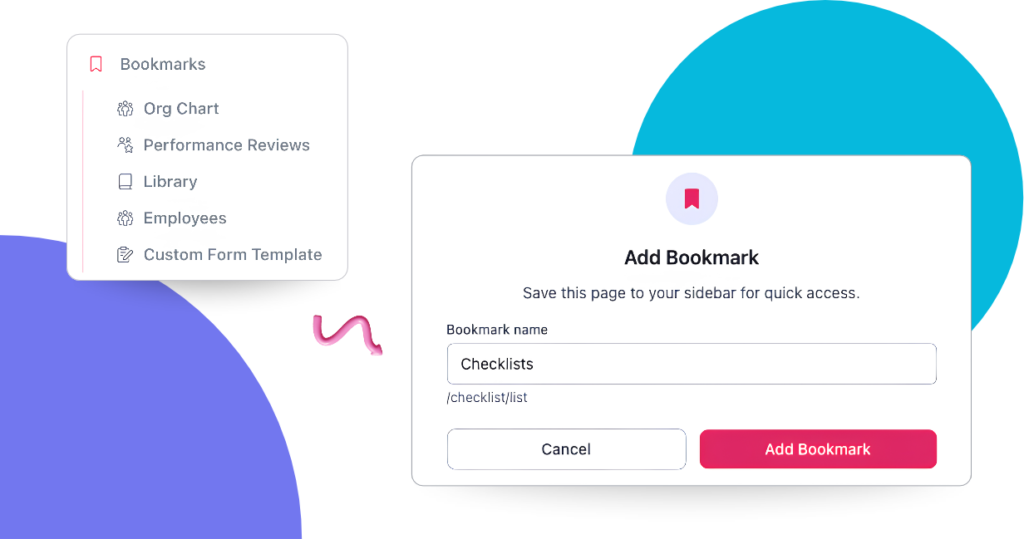
A little feature you might have missed: Bookmarks let you save your most-used pages in HR Partner for quick access from your left-hand navigation menu.
You can save up to seven pages, give them your own names, change their order or remove them whenever you like. Bookmarks are personal to you, so they won’t affect what other Admin Users see.
Handy for getting straight to the pages you visit most, without navigating through the menus each time.
Ready to see what’s new?
Already using HR Partner? Log in to your account.
New to HR Partner? You can start a free trial or book a demo to see how it works.